จะขอเสนอการนำ ESP32 ไปใช้งานกับ web dashboard บน server จริง และมี feature ที่สำคัญก็คือ Line messaging API (แจ้งเตือนผ่าน Line)
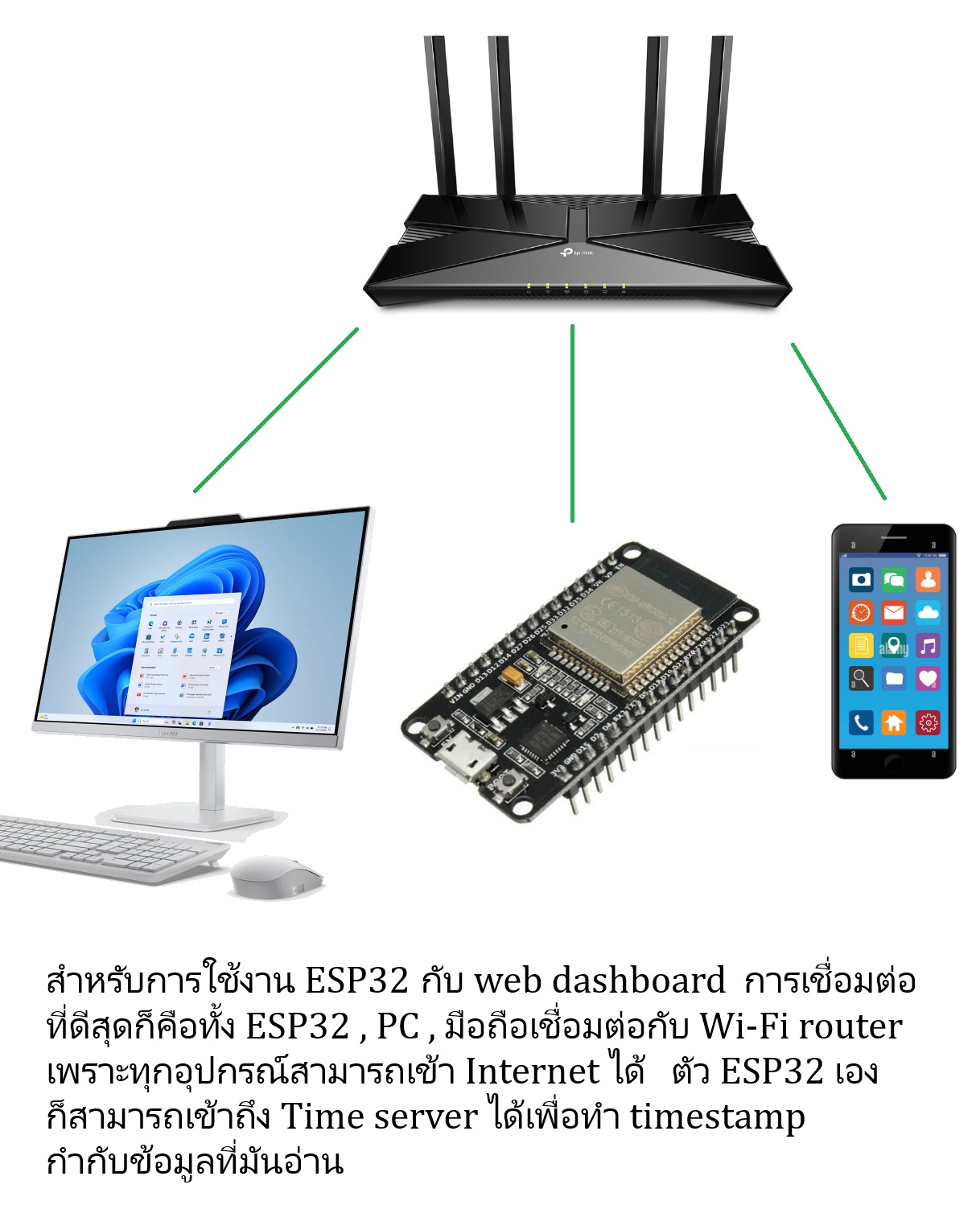
การใช้งานกับ web dashboard บน server จริงคือการประยุกต์ใช้งานแบบ IoT เต็มตัวครับ ภาพรวมของการใช้งานแบบนี้ก็คือ ESP32 จะรับ data จาก sensor ต่าง ๆ และต่อ GPIO ออกไปเพื่อควบคุมอุปกรณ์ / เครื่องใช้ไฟฟ้าในบ้าน และในฝั่งปลายทาง PC / Notebook / มือถือของเรา) ก็จะเป็น web dashboard ซึ่งสามารถดูข้อมูลหรือสถานะของ sensor หรือระบบรักษาความปลอดภัยที่บ้านผ่าน web dashboard นอกจากดูก็สามารถกดปุ่มสั่งงานเครื่องใช้ไฟฟ้า/อุปกรณ์ใด ๆ ที่บ้านเราได้ นี่คือการใช้งานในลักษณะ IoT เต็มตัว
สิ่งที่ต้องมี 2 อย่าง
🛑 อย่างแรกคือเว็บไซต์ส่วนตัว
การใช้งาน IoT ได้แบบคล่องตัวมากที่สุดสิ่งที่ต้องมีเลยก็คือเว็บไซต์ส่วนตัวของเรา ซึ่งในปัจจุบันนี้การจะจดทะเบียน Domain name + เช่า web hosting บอกได้เลยว่าราคาต่อปีไม่ถึง 1,000 บาทก็มีครับ ถูกสุดที่ผมเคยเห็นประมาณ 850 บาทก็ได้แล้ว ดังนั้นจึงขอแนะนำอย่างยิ่งสำหรับท่านที่ต้องการเรียนรู้การทำ IoT project หรือจะฝึกฝีมือกับ ESP32 เพื่อใช้งาน IoT เต็มรูปแบบก็ควรสมัครเว็บไซต์ส่วนตัวไว้
อีกประเภทหนึ่งที่นิยมกันมากก็คือ “Cloud IoT” อย่างเช่น ThingsBoard , Adafruit IO , Blynk , Thinger.io , ThingSpeak มันคือแพลตฟอร์มที่ใช้ได้ฟรีสามารถแสดง dashboard ได้และแทบไม่ต้องใช้ code เลย ลักษณะการสร้าง dashboard + เชื่อมข้อมูลกับ ESP32 ของเราจะเป็นการ “ลากแล้ววาง” แต่ผมคิดว่ามันใช้งานไม่ค่อยยืดหยุ่นสักเท่าไหร่ / ปรับแต่งเองได้ไม่เต็มที่และที่สำคัญก็คือใช้กับ Line messaging API ได้ยาก
🛑 อย่างที่สองคือ Line messaging API
Line messaging API ที่จะใช้งานในโปรเจคอย่างกระทู้นี้ ทุกคนก็สามารถสมัครได้ฟรีโดยใช้งานได้ 300 ข้อความต่อเดือนซึ่งก็ถือว่าเหลือเฟือในการใช้งานเพื่อทดลองและเรียนรู้ครับ …. การใช้ Line messaging API จะต้องสมัคร LINE Official Account ก่อน … เริ่มที่นี่ครับ
https://manager.line.biz/
ดูวิธีการสมัครที่นี่
(คลิปจากช่อง ครูอภิวัฒน์ “สอนสร้างสื่อ”
https://www.youtube.com/@KruApiwat
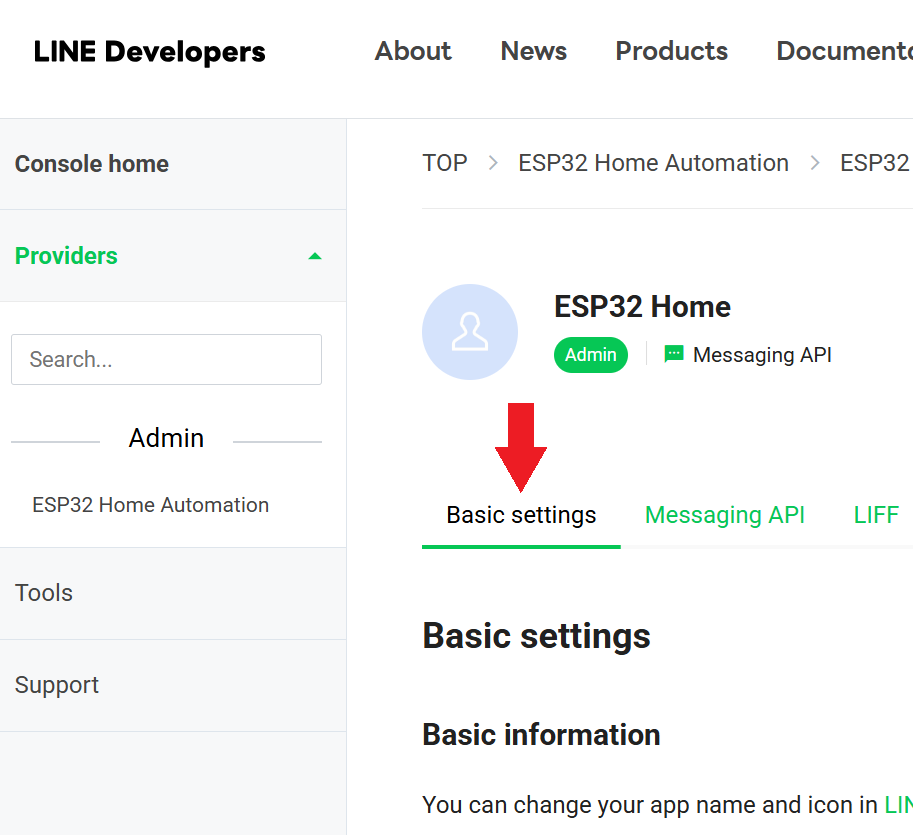
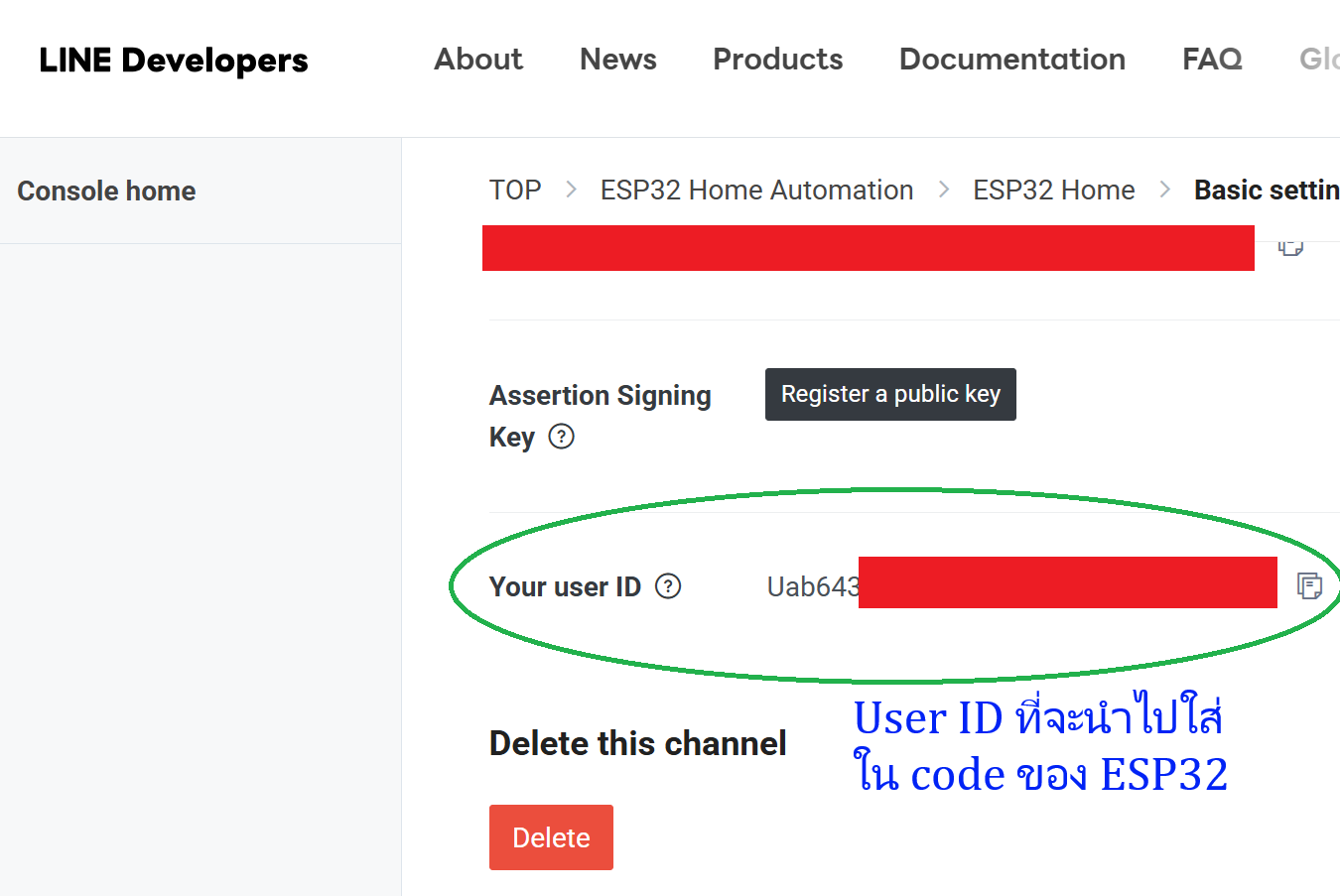
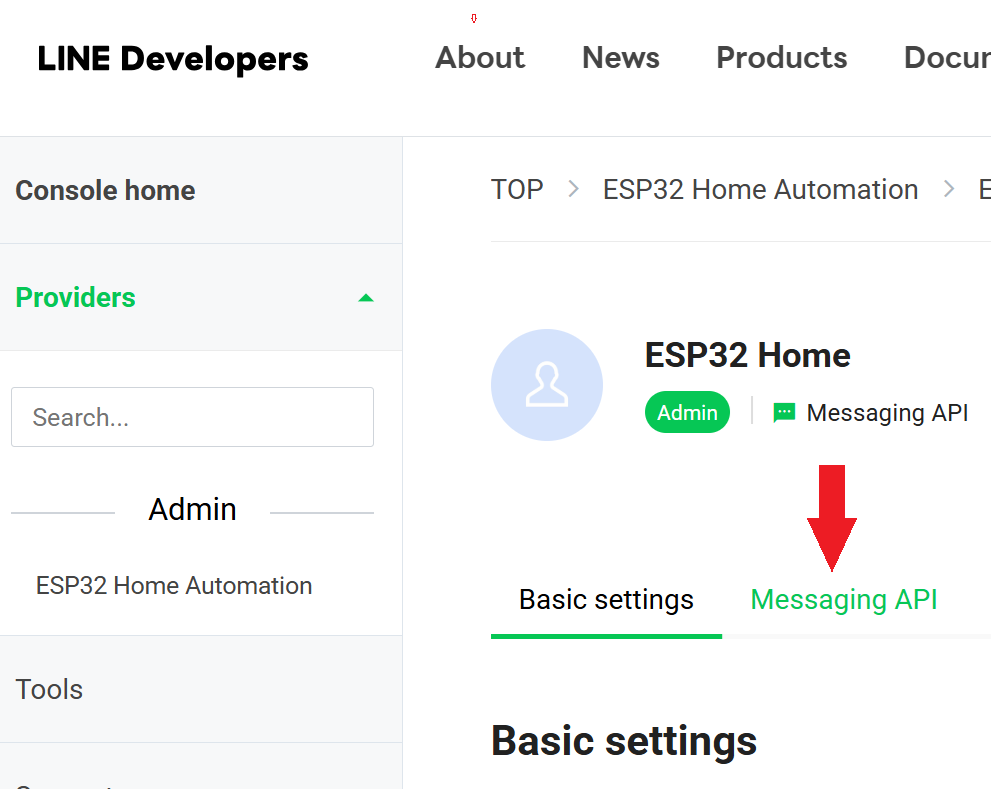
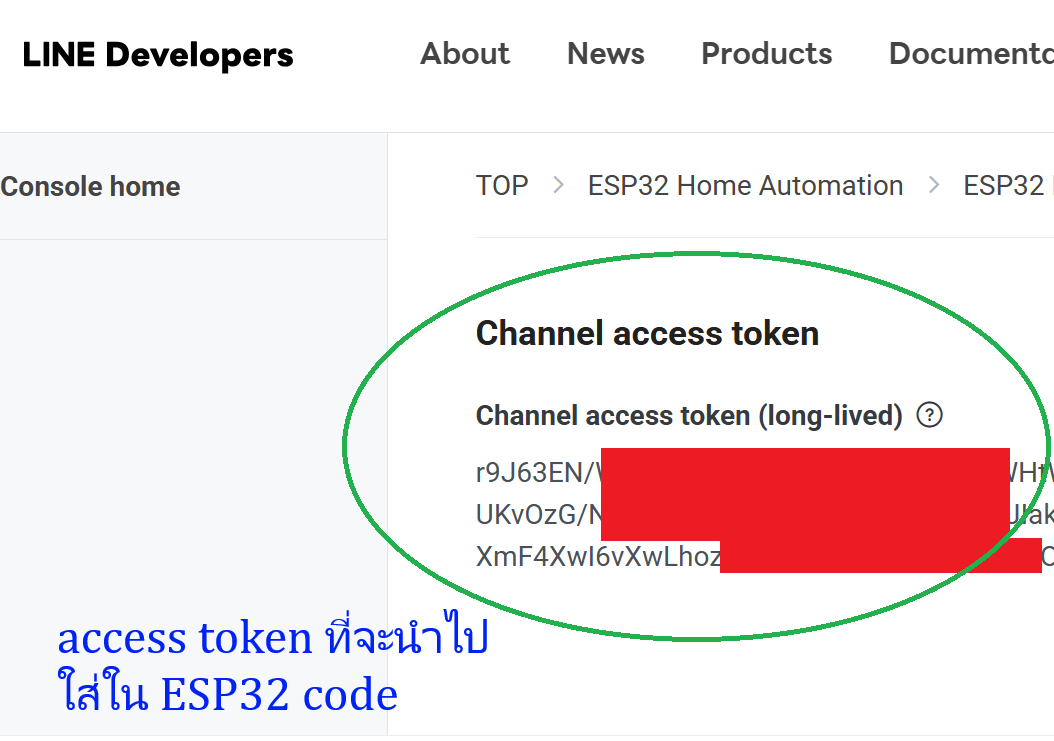
เมื่อสมัคร LINE Official Account เสร็จแล้วก็ไป enable messaging API …. และเมื่อทุกอย่างเรียบร้อยแล้วทั้ง 4 ภาพด้านล่างนี้คือข้อมูล 2 ส่วนที่จะต้องใช้ไปใส่ใน ESP32 code ครับ
ต่อไปคือสถาปัตยกรรมในระบบ IoT ทั่วไป (ซึ่ง project นี้ก็ใช้แบบนี้)
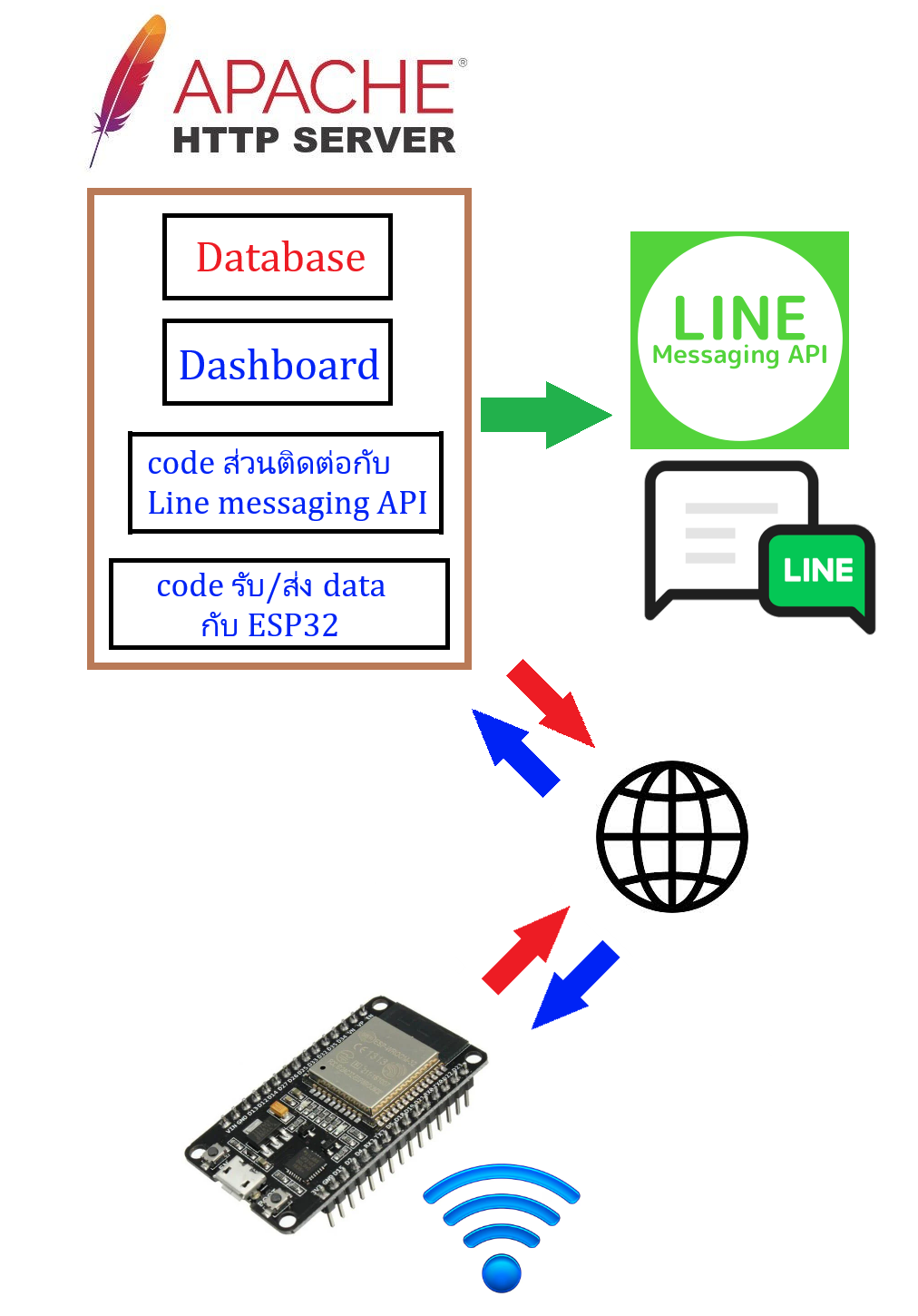
จากภาพบนนี้ ESP32 ที่บ้านหรือที่ทำงานเราก็ทำหน้าที่เป็นเพียง client เพื่อที่จะส่ง-รับข้อมูลเข้าระหว่าง web server ในส่วนของ web server ก็จะเป็นที่เก็บ dashboard + database ซึ่ง database ไม่ต้องยุ่งยากเป็นแบบ SQL เลยครับ ใช้แบบ text file database (JSON) ก็ใช้งานได้ดีเพียงพอแล้วกับ sensor 2 – 3 ตัวและการเก็บข้อมูลประมาณ 1 สัปดาห์ต่อเนื่องกัน
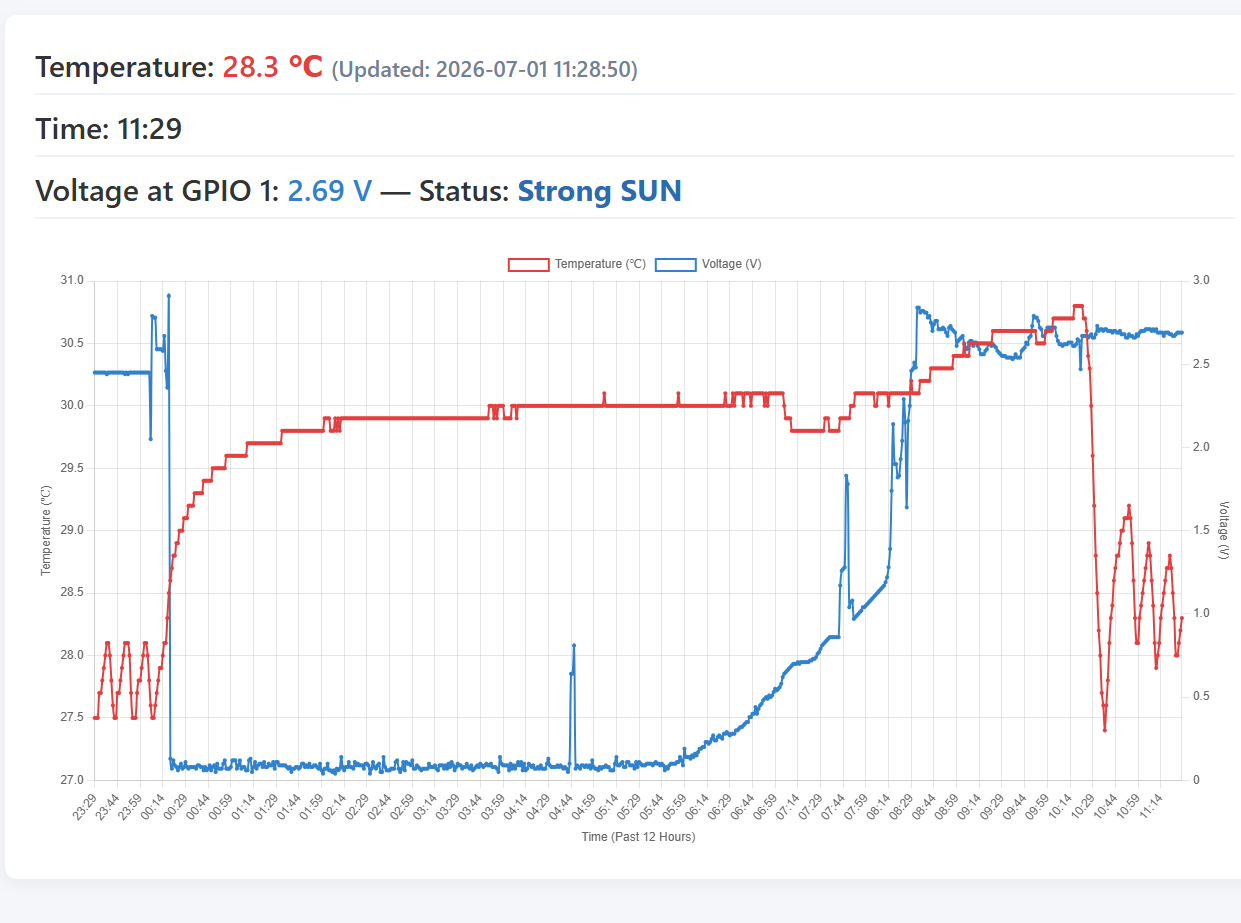
ใน project ที่ผมจะสาธิตให้ดูในกระทู้นี้หน้าตาของ web dashboard ก็คือตามภาพล่างครับ
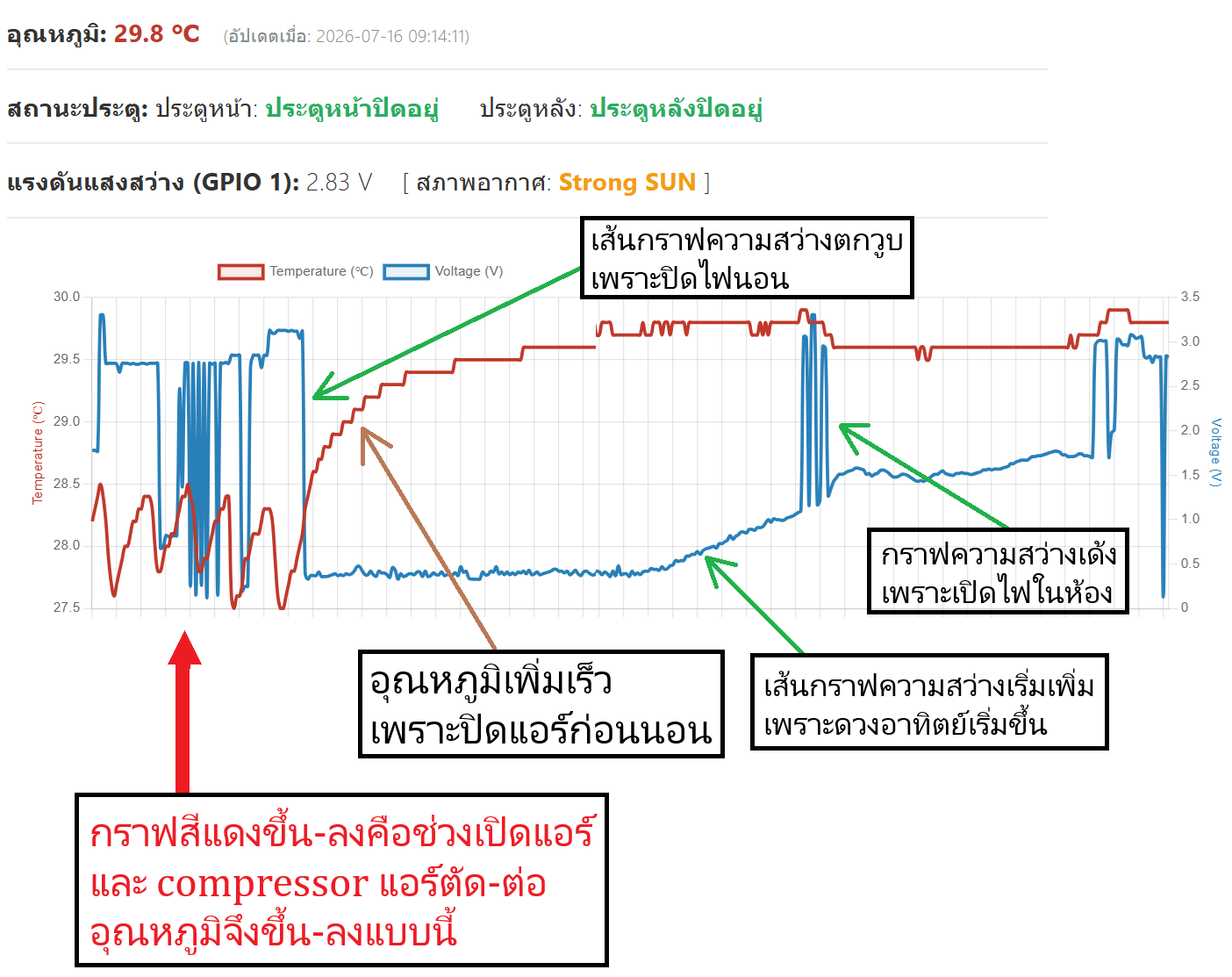
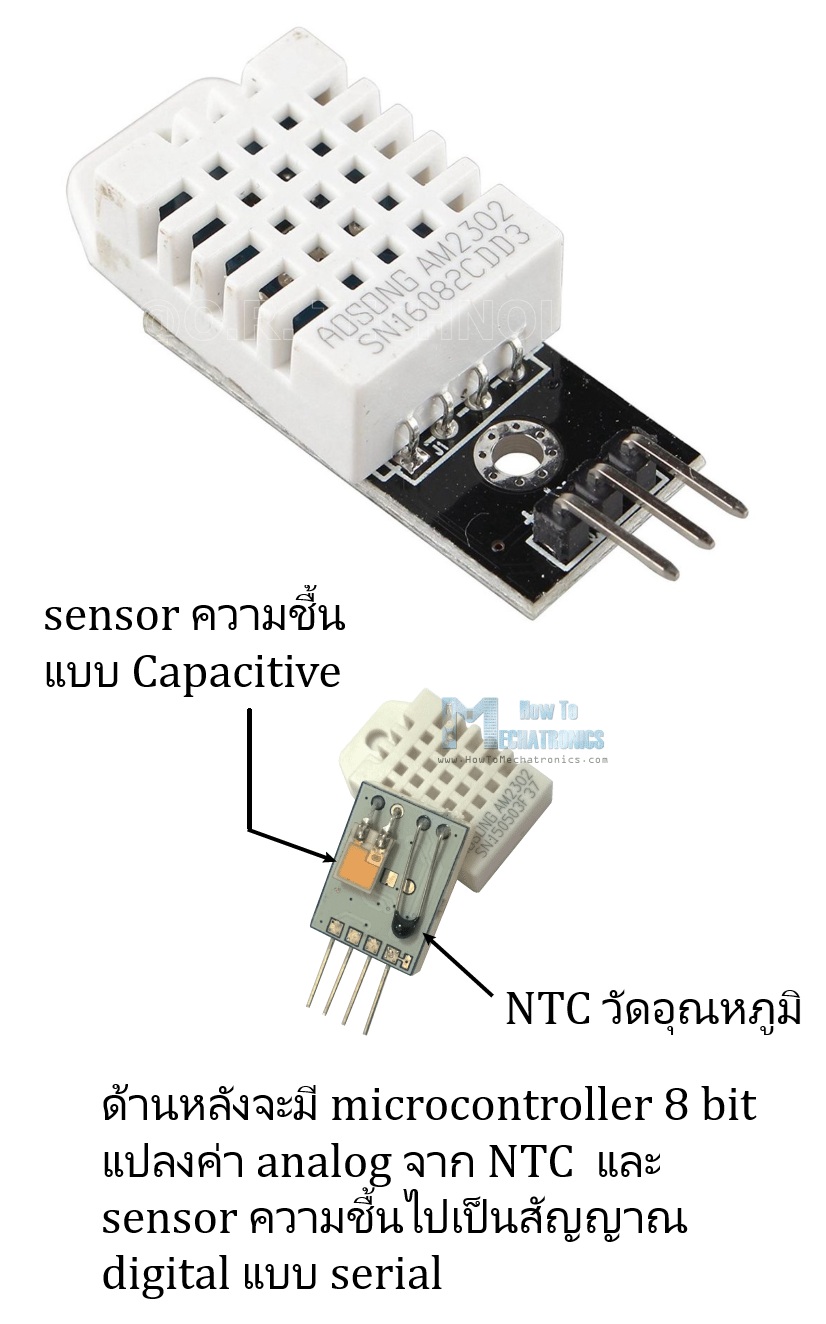
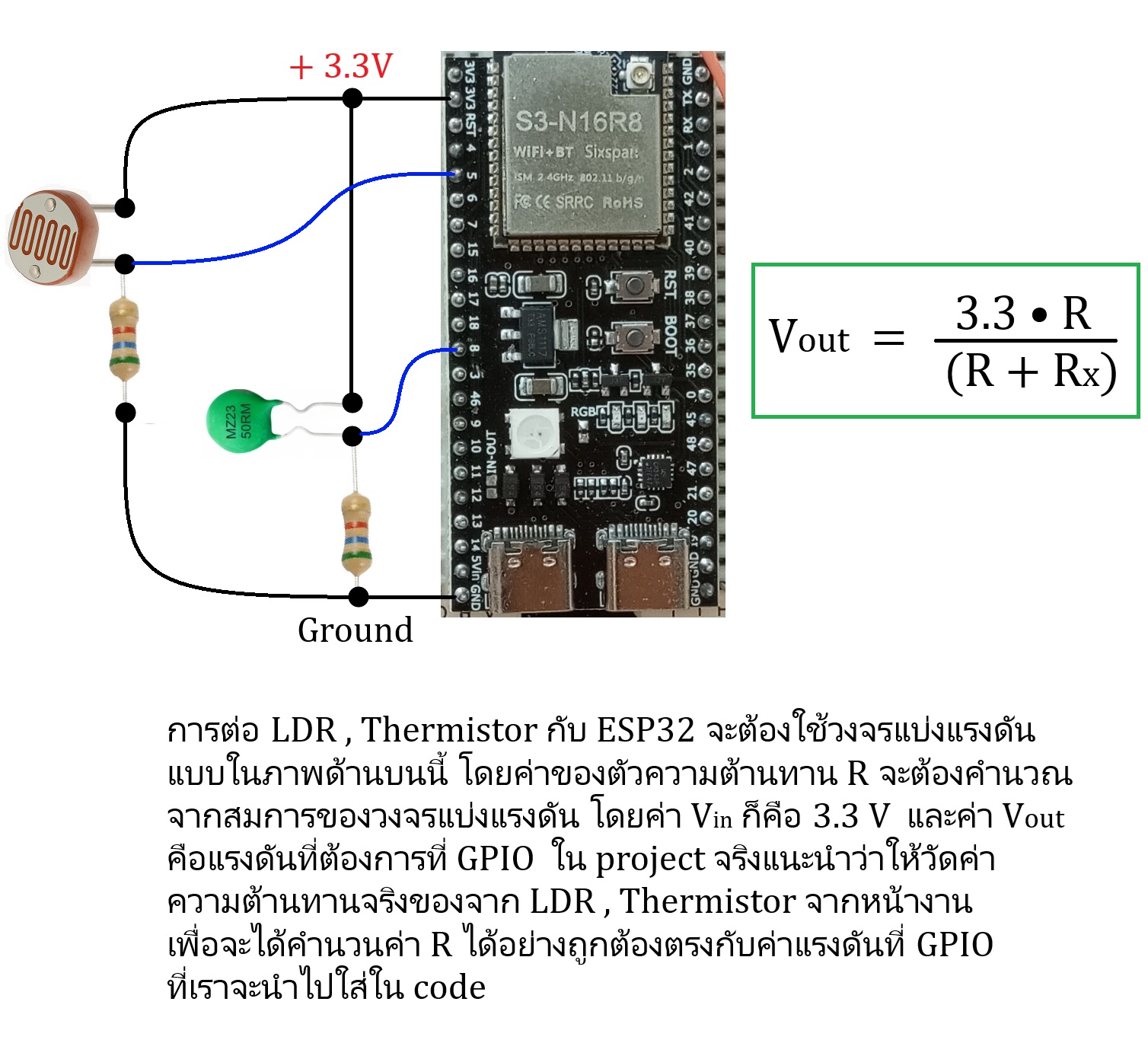
ผมต่อ sensor ไว้ 2 ตัวก็คือ DHT22 กับ LDR เพื่อแสดงค่าอุณหภูมิและความสว่างของแสงแสดงเป็นกราฟทุก 1 นาทีและได้รวมระบบ Line messaging API ไว้ด้วย โดยใน Code กำหนดให้ส่งข้อความแจ้งเตือนเมื่อมีการเปิดประตูและแสงสว่างมีค่าต่ำกว่าที่กำหนดไว้ครับ
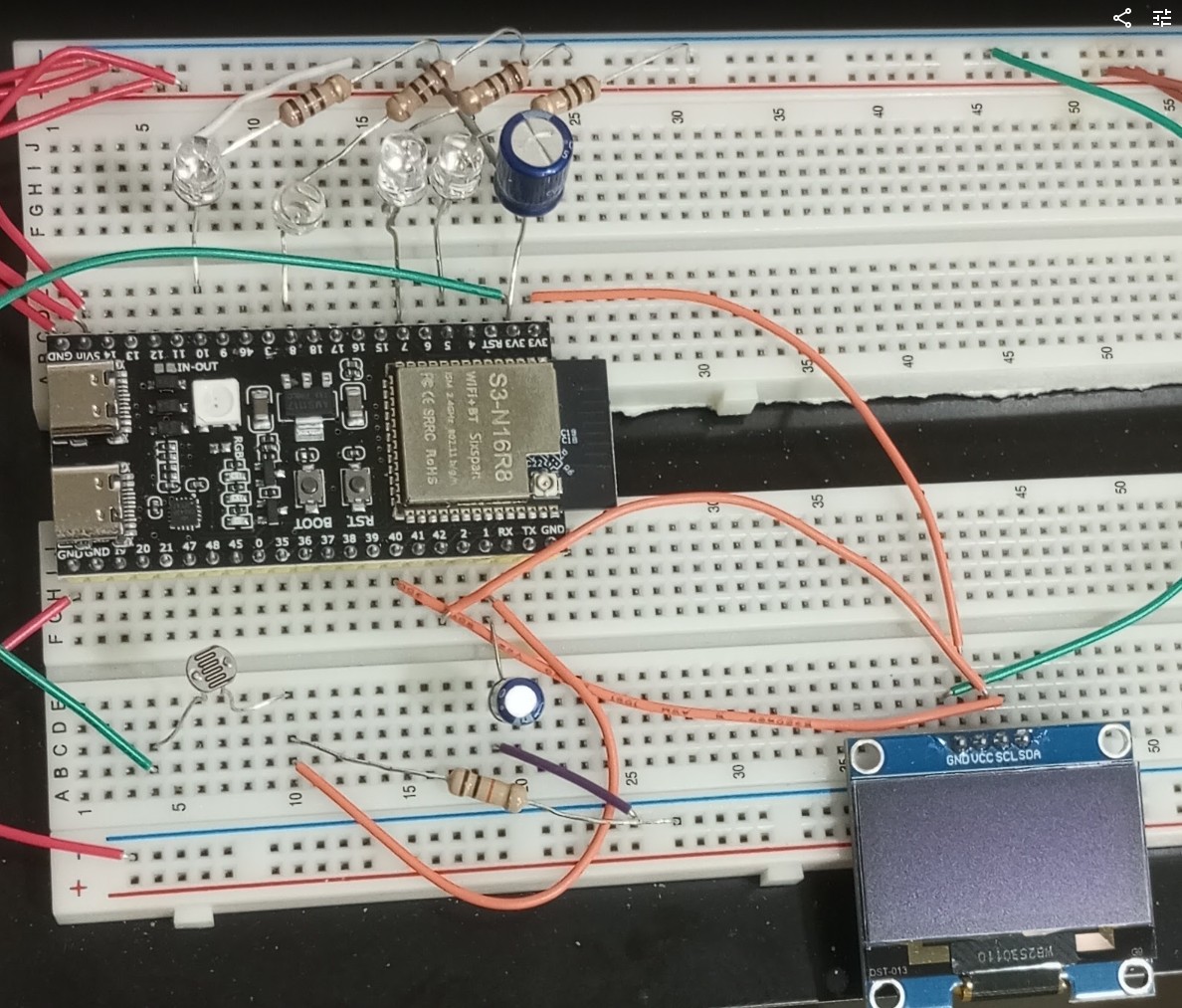
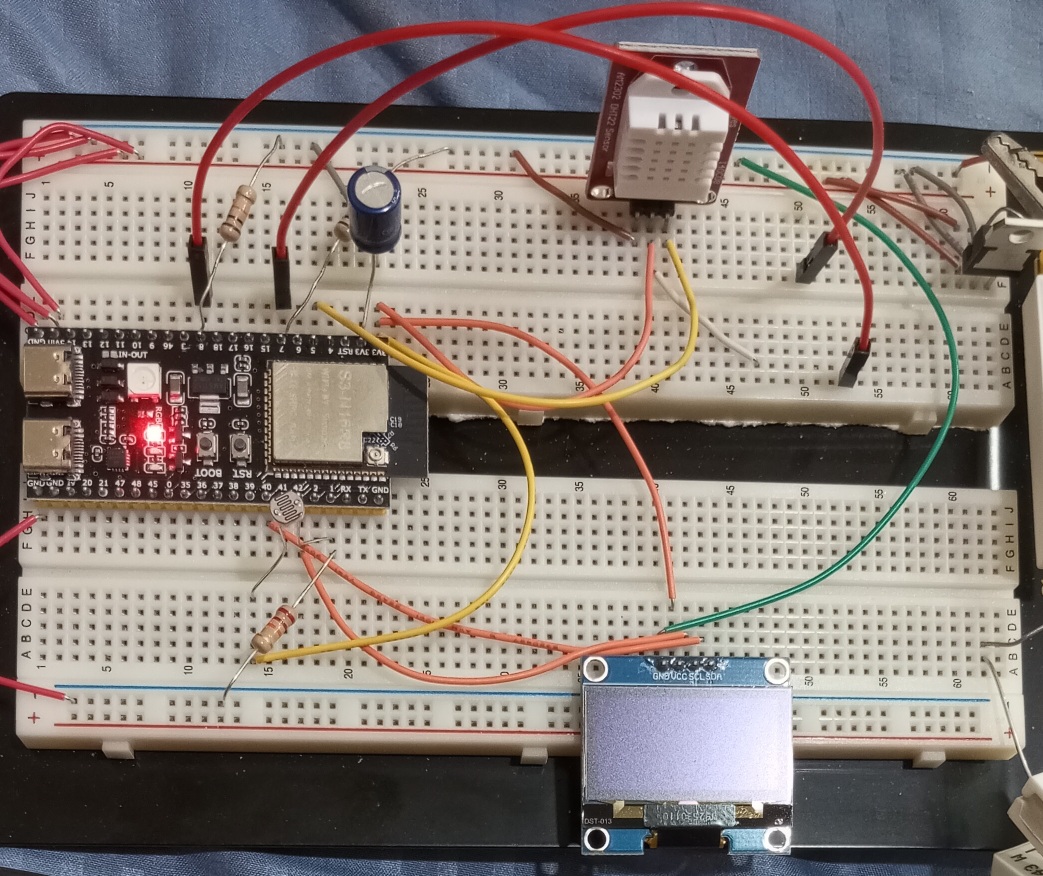
นี่คือภาพของอุปกรณ์ที่ใช้มีเพียงเท่านี้ ก็คือมี sensor 2 ตัวเท่านั้น
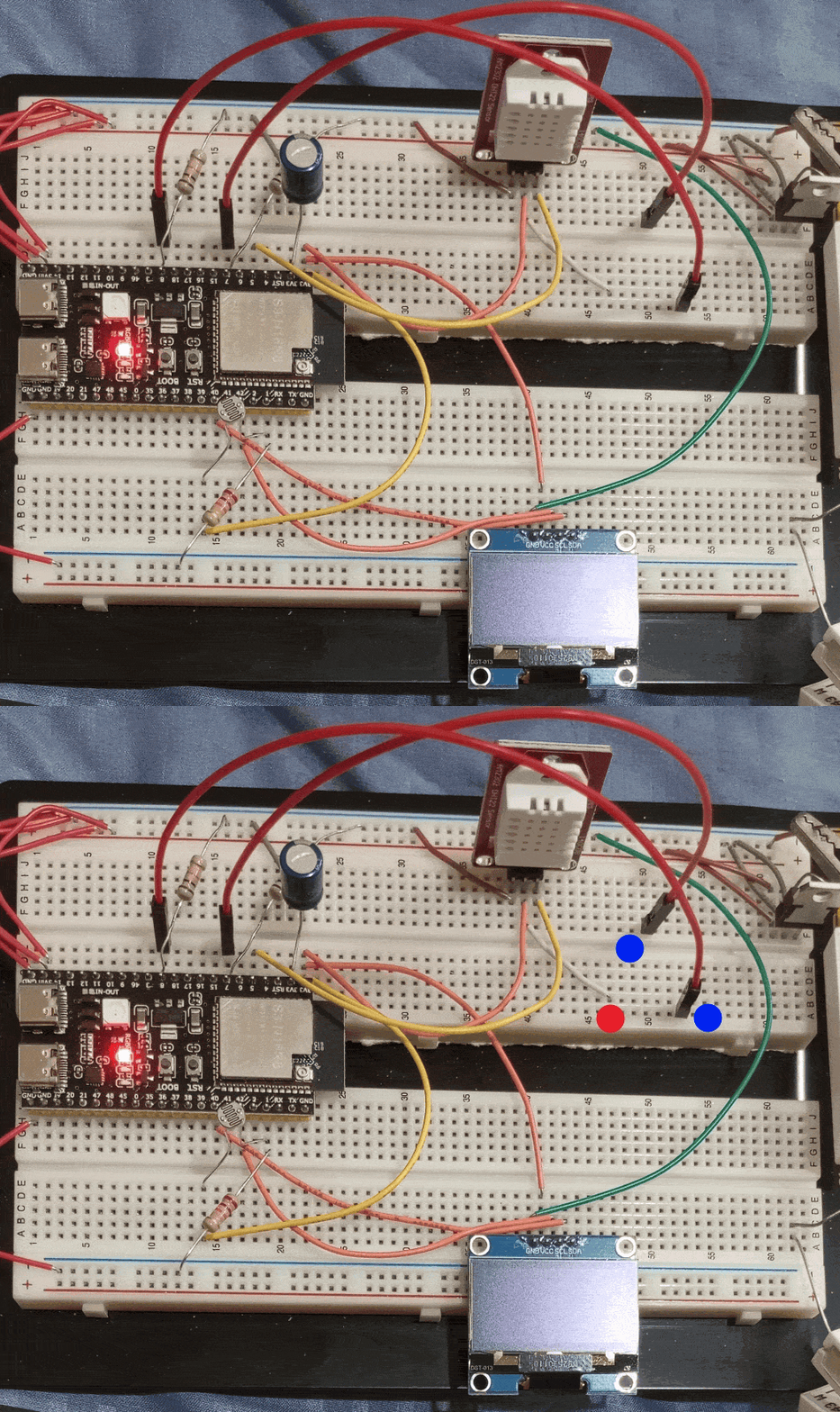
และในภาพนี้สังเกตจุดสีแดงกับน้ำเงินกระพริบอยู่ก็คือเป็นสาย jumper 2 เส้นที่ผมใช้แทน switch จำลองการเปิดประตูด้านหน้าและด้านหลังส่งข้อมูลไปยังเว็บ server เพื่อส่งข้อความเข้า LINE ในมือถือเมื่อประตูถูกเปิดหรือเมื่อความสว่างของแสงน้อยกว่าที่กำหนดครับ
คลิบนี้แสดงถึงการแจ้งเตือนผ่าน Line
Code ทั้งหมด
/*
   ESP32-S3 N16R8 Data Logger & Monitor (Core 3.3.1)
   Hardware Connections:
   - DHT22 Data Pin: GPIO 5 (needs 10k pull-up resistor to 3.3V)
   - LDR/Voltage Sensor: GPIO 1 (Analog input ADC1_CH0)
   - Front Door Sensor: GPIO 7 (Logic input with internal pull-up)
   - Back Door Sensor: GPIO 8 (Logic input with internal pull-up)
*/

#include <WiFi.h>
#include <HTTPClient.h>
#include <WiFiClientSecure.h>
#include <DHT.h>

// Wi-Fi Credentials
const char* ssid     = "NT91124G";
const char* password = "911928TOT";

// API Endpoints & Credentials
const char* serverUrl = "https://www.navy007.com/temp32/data_receiver.php";
const char* lineApiUrl = "https://api.line.me/v2/bot/message/push";
const char* lineToken  = " Line Token ของท่าน ";
const char* lineUserId = " User ID ของท่าน ";

// Pins
#define DHTPIN 5
#define DHTTYPE DHT22
#define VOLT_PIN 1
#define DOOR_FRONT_PIN 7
#define DOOR_BACK_PIN 8

DHT dht(DHTPIN, DHTTYPE);

// Timers (Non-blocking)
unsigned long lastDHTSend = 0;
unsigned long lastSensorRead = 0;
const unsigned long dhtInterval = 60000;   // 1 minute
const unsigned long sensorInterval = 5000; // 5 seconds

// State tracking for LINE Spam Prevention
enum LightState { DARK, PARTLY_CLOUD, STRONG_SUN };
LightState currentLightState = STRONG_SUN;
bool isFirstLightRead = true;

int lastFrontDoorState = -1;
int lastBackDoorState = -1;

// Float definitions for tracking current values
float currentTemperature = 0.0;
float currentHumidity = 0.0;
float currentVoltGPIO1 = 0.0;

void setup() {
  Serial.begin(115200);

  // Setup Sensor Pins
  dht.begin();
  pinMode(VOLT_PIN, INPUT); // ADC1_CH0 (GPIO 1 is safe for ADC)
  pinMode(DOOR_FRONT_PIN, INPUT_PULLUP);
  pinMode(DOOR_BACK_PIN, INPUT_PULLUP);

  // Setup Wi-Fi
  WiFi.begin(ssid, password);
  Serial.print("Connecting to Wi-Fi");
  while (WiFi.status() != WL_CONNECTED) {
    delay(500);
    Serial.print(".");
  }
  Serial.println("\nConnected to Wi-Fi Network!");
}

void loop() {
  unsigned long currentMillis = millis();

  // Task 1: Pull DHT22 Data every 1 minute
  if (currentMillis - lastDHTSend >= dhtInterval) {
    lastDHTSend = currentMillis;
    readDHT22();
    sendDataToServer();
  }

  // Task 2 & 3: Monitor GPIO 1, 7, and 8 every 5 seconds
  if (currentMillis - lastSensorRead >= sensorInterval) {
    lastSensorRead = currentMillis;
    monitorPins();
  }
}

void readDHT22() {
  float temp = dht.readTemperature();
  float hum = dht.readHumidity();
  if (!isnan(temp) && !isnan(hum)) {
    currentTemperature = temp;
    currentHumidity = hum;
    Serial.printf("DHT22 - Temp: %.2f C, Hum: %.2f%%\n", temp, hum);
  } else {
    Serial.println("Error reading from DHT22");
  }
}

void monitorPins() {
  // --- GPIO 1 Voltage Monitoring ---
  // ESP32-S3 ADC has 12-bit resolution (0-4095) spanning ~3.1V depending on calibration
  int rawADC = analogRead(VOLT_PIN);
  currentVoltGPIO1 = (rawADC / 4095.0) * 3.3; // Estimated voltage scale

  LightState computedState;
  if (currentVoltGPIO1 < 2.0) {
    computedState = DARK;
  } else if (currentVoltGPIO1 >= 2.0 && currentVoltGPIO1 <= 2.35) {
    computedState = PARTLY_CLOUD;
  } else {
    computedState = STRONG_SUN;
  }

  // Handle state change for light sensor to prevent spamming
  if (computedState != currentLightState || isFirstLightRead) {
    currentLightState = computedState;
    isFirstLightRead = false;

    if (currentLightState == DARK) {
      sendLineMessage("ระดับแสงต่ำเกินไป");
    }
  }

  // --- GPIO 7 (Front Door) & GPIO 8 (Back Door) Monitoring ---
  int frontDoor = digitalRead(DOOR_FRONT_PIN);
  int backDoor = digitalRead(DOOR_BACK_PIN);

  // Spam prevention check for front door
  if (frontDoor != lastFrontDoorState) {
    lastFrontDoorState = frontDoor;
    if (frontDoor == HIGH) { // Logic 1 = Open
      sendLineMessage("ประตูหน้าเปิด");
    }
  }

  // Spam prevention check for back door
  if (backDoor != lastBackDoorState) {
    lastBackDoorState = backDoor;
    if (backDoor == HIGH) { // Logic 1 = Open
      sendLineMessage("ประตูหลังเปิด");
    }
  }

  Serial.printf("GPIO1: %.2f V, Front: %d, Back: %d\n", currentVoltGPIO1, frontDoor, backDoor);
}

// Function to Send Official LINE Push Notification
void sendLineMessage(String message) {
  if (WiFi.status() != WL_CONNECTED) return;

  WiFiClientSecure client;
  client.setInsecure(); // Required for share hosting or API calls where cert pinning isn't hardcoded
  HTTPClient http;

  http.begin(client, lineApiUrl);
  http.addHeader("Content-Type", "application/json");
  http.addHeader("Authorization", "Bearer " + String(lineToken));

  // Construct official LINE Push Message JSON
  String jsonPayload = "{\"to\":\"" + String(lineUserId) + "\",\"messages\":[{\"type\":\"text\",\"text\":\"" + message + "\"}]}";

  int httpResponseCode = http.POST(jsonPayload);
  if (httpResponseCode > 0) {
    Serial.println("LINE Push Sent successfully: " + String(httpResponseCode));
  } else {
    Serial.println(String("Error sending LINE Push: ") + http.errorToString(httpResponseCode).c_str());
  }
  http.end();
}

// Push latest telemetry to the Apache Share Hosting Server
void sendDataToServer() {
  if (WiFi.status() != WL_CONNECTED) return;

  WiFiClientSecure client;
  client.setInsecure();
  HTTPClient http;

  http.begin(client, serverUrl);
  http.addHeader("Content-Type", "application/x-www-form-urlencoded");

  // Format POST payload
  String postData = "temp=" + String(currentTemperature, 2) +
                    "&volt=" + String(currentVoltGPIO1, 2) +
                    "&front_door=" + String(lastFrontDoorState) +
                    "&back_door=" + String(lastBackDoorState);

  int httpResponseCode = http.POST(postData);
  if (httpResponseCode > 0) {
    Serial.println("Telemetry synced: " + String(httpResponseCode));
  } else {
    Serial.println(String("Error syncing telemetry: ") + http.errorToString(httpResponseCode).c_str());
  }
  http.end();
}